


BISP 8171 SMS Not Working After Changing Number?
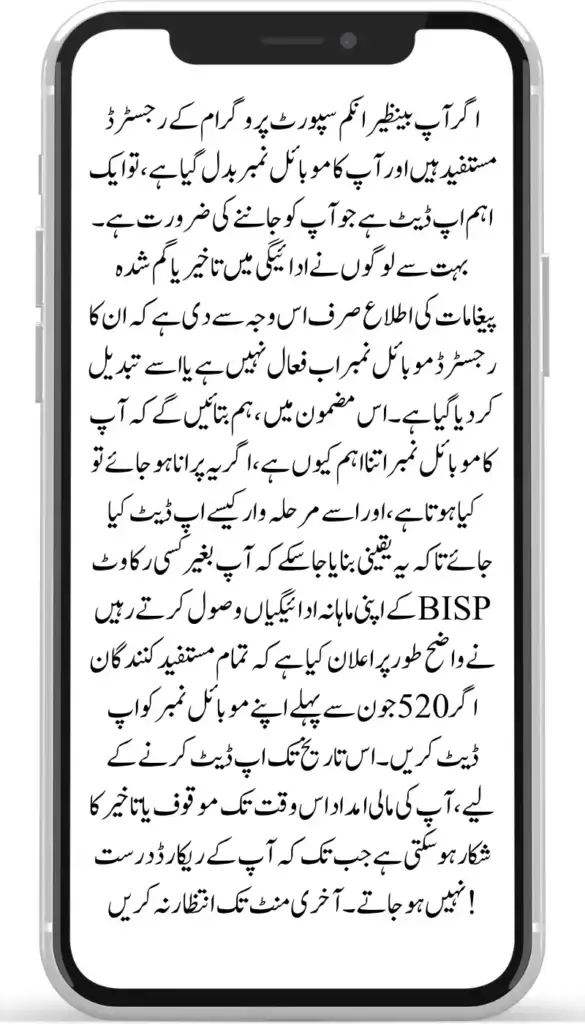
BISP 8171 Not Working After Changing Number?: If you’re a registered beneficiary of the Benazir Income Support Programme and your mobile number has changed, there’s an important update you need to know. Many people have reported payment delays or missed messages because their registered mobile number is no longer active or has been replaced. In this article, we’ll explain why your mobile number is so important, what happens if it’s outdated, and how to update it step-by-step to ensure you continue receiving your quarterly payments without disruption.
If your 8171 SMS isn’t working after you changed your number, you need to update your new SIM number in the BISP system. Visit your nearest BISP Tehsil office with your CNIC and the active SIM registered under your name to have it updated.
Why Your Mobile Number Matters in BISP 8171
BISP uses your mobile number to send SMS notifications about:
- Payment status and updates
- Eligibility confirmation
- Collection center details
If your number has changed or is inactive, the system cannot reach you, and as a result:
- You may miss your payment
- Updates may go to someone else
- You may fall victim to fraud
That’s why BISP urges all beneficiaries to ensure their number is updated and registered in their name.
Risks of Not Updating Your Mobile Number
It might seem like a minor detail, but an outdated number can cause serious problems, including:
- Missed payment alerts
- You stop receiving 8171 payment alerts, and wallet/OTP verification at the collection point can fail — so collections get delayed or missed.
- Personal information sent to someone else
- Risk of payment fraud or misuse
- Loss of eligibility notifications
To avoid these issues, updating your contact info as soon as possible is essential.
How to Update Your Mobile Number in BISP – Step-by-Step
If you’ve recently changed your number and are no longer receiving BISP messages, here’s what you need to do:
Visit your nearest BISP Tehsil office
- Locate the center closest to you.
Bring your original CNIC (Computerized National Identity Card)
- This is needed to verify your identity.
Provide your new mobile number
- It must be registered in your name (not someone else’s).
Carry any BISP-related documents or messages (if available)
- These can help staff understand your issue faster.
Explain your situation to the BISP staff
- Request that they update your contact details in the system.
You will receive a confirmation SMS from 8171 once the update is finalized — usually within 24–48 hours.
- This proves that your number is now updated in the records.
Your new number must remain active for continued updates.
How Long Does the Update Take?
The update is usually processed the same day, right after your biometric verification. You will receive a confirmation SMS from 8171 within 24–48 hours. If you get nothing after 3 days, visit the office again or call the BISP helpline at 0800-26477.
What If Your Old SIM Is Lost?
If your old SIM is lost or you no longer have it, you can still register a brand-new number. Just tell the BISP staff that the old SIM is lost when you visit — you do not need the old SIM to add a new number.
Quick Checks Before Visiting
- Make sure the new SIM is active and can receive SMS from short codes like 8171.
- Restart your phone so it connects to the new SIM.
- Check your CNIC status on 8171.bisp.gov.pk before visiting.
Your SIM Must Be Registered in Your Own Name
One-time passwords (OTPs) and wallet verification at the collection point only work on a SIM registered in the beneficiary’s own name. If your SIM is registered in someone else’s name, ask the BISP staff to link a SIM registered in your own name. See the official BISP website for current requirements.
Is There a Deadline to Update Your Mobile Number?
There is no standing BISP deadline just for updating your number — update it whenever it changes. Note separately: BISP’s current directive (reported June 2026) requires every female beneficiary to have a SIM registered in her own name linked to her BISP account, with the digital wallet activated at her partner bank’s authorized retailer, because future quarterly payments are transferred through wallets linked to the registered SIM.
How to Protect Yourself from Scams
Unfortunately, BISP beneficiaries are often targeted by fraudsters. Criminals may use your old number or send fake messages pretending to be BISP officials.
To protect yourself, follow these tips:
- Only trust messages from the official number 8171
- Never share your CNIC, personal details, or bank info with anyone
- Don’t pay agents or individuals promising faster payments
- Report suspicious calls or messages to the BISP helpline
Being careful can protect your money and identity.
What You Must Remember
- Maintain your current mobile number recorded in the BISP system.
- Ensure it’s registered in your name
- Proceed to the nearest BISP center carrying your CNIC and updated contact number.
- Stay alert for scams and fake messages
Frequently Asked Questions
Q1: What should I do if I’ve changed my mobile number?
Head to the closest BISP Tehsil center with your CNIC and updated mobile number in hand.
Q2: Can I update my number online?
No, you must visit a BISP office in person to update your mobile number. Biometric verification is required, so the beneficiary must be present — no one else can update the number on your behalf.
Q3: Why was my payment stopped after changing my number?
You stop receiving 8171 payment alerts, and wallet/OTP verification at the collection point can fail — so collections get delayed or missed. BISP does not cancel your eligibility because of a number change, but an outdated number means you never hear about your payment.
Q4: What’s the last date to update my number?
There is no fixed last date for updating your mobile number; update it as soon as it changes.
Q5: How do I confirm my number was updated?
You will receive a confirmation SMS from 8171 once the update is finalized — usually within 24–48 hours.
Last Words
Updating your mobile number with BISP might sound like a small task, but it’s critical to keep receiving your quarterly payments (currently Rs. 14,500 per quarter) and important updates. If your number has changed, take action today. Visit your nearest BISP office, bring your CNIC, and update your contact info.
Related BISP Guides
- complete 8171 guide
- check your BISP quarterly payment status
- how to report payment deductions
- why your BISP payment may be blocked
- 8171 BISP Information homepage